Finding the right playwriting app for theatre isn’t about bells and whistles. It’s about whether the tool actually supports the messy, intuitive, character-driven work of writing for performance. And after twenty years working with new writing, teaching playwrights, and developing scripts for stages big and small, I’ve tested the apps that genuinely help writers get words on the page — and keep them there.
This article shares my ranked breakdown of the best playwriting apps available right now, judged on what actually matters to playwrights: formatting, story development, collaboration, draft workflow, and how invisible the app becomes when you’re deep in a scene.
Ready? Let’s go!
⭐ Scoring System
There’s something that fills me with dread at the prospect of standing in front of a row of people and making a selection. It reminds me of waiting to be picked for the football team in PE at school. And being the particularly unsporty one in a class full of enthusiasts, I was always one of the last to be reluctantly taken on, left to run away from the ball whenever it came my way.
Happy days, hey.
But if I didn’t make a selection, this would be a pretty pointless article.
So, this is how I’ve rated each of the scriptwriting applications I’ve used and considered in this list. Bear in mind that I’m coming to this from a playwright’s perspective—all of the apps are great for screenwriting. But, playwriting—well, that’s another matter entirely.
Which is the best playwriting apps for theatre?
I’ve scored each app out of 10 across five categories:
- Formatting — Does it handle stageplay conventions without a fight?
- Drafting Flow — Does it help you write quickly and stay in the scene?
- Structure Tools — Does it support beats, arcs, and rewriting?
- Collaboration — Can you share drafts easily with directors, dramaturgs, or actors?
- Value — Is the price justified for a playwright’s workflow?
What does a theatre script look like?
This should be an easy question to answer, but the short answer is that there are several acceptable formats for a theatre script. Your theatre script is a blueprint for performance, and—as such—needs to satisfy a number of requirements:
- Consistent: Whichever format you choose needs to remain consistent throughout the entire document. A reader needs to be able to clearly differentiate dialogue from stage directions and character tags from scene headings.
- Neatly presented: Stick to a single font throughout the document. Most industry professionals expect a script in Courier New at 12pt.
- Scannable: Part of the art of playwriting is giving each character a distinctive voice. Make sure the reader’s eyes don’t have to move too far across the page between the character name and the dialogue or action—it gets distracting and tiring.
Some examples of theatre script formats
America-centric formats
Below is the Dramatist’s Guild of America Modern Stageplay format. And if you like this one, then any of the applications I’m reviewing will be suitable for you, as this is the one most often included in scriptwriting apps.

I’m not a massive fan of this format myself, and it’s not widely used in the UK. I prefer to write in Courier New, which is easier on the eye than Times New Roman, and the centre-justified Character tag is distracting for scenes with sparse dialogue.
UK-centric formats
The format more commonly used in the UK includes a left-justified Character tag, slightly indented dialogue, and more deeply indented stage directions in italics:

This format is friendlier for sparse dialogue and is much more eye-efficient. This is the format offered in Celtx, one of the apps I’ll be reviewing here.
However, most scriptwriting apps don’t offer this format, making it awkward for British playwrights.
But fear not: there’s an answer for Final Draft users I’ll be sharing later in the article.
Published play format
Plays formatted for print are most typically presented in a more page-efficient manner, maximising word-to-page saturation, and this is the format we use at WriteForTheStage Books.

Here, the character name is in capitals, the dialogue in normal text, and the stage directions in italics. This format permits publishers to minimise printing costs by getting as much text on the page as possible. Anyone who has read a published play will be familiar with this format, and it’s perfectly acceptable to write your script in this format, using Word, Pages, or Google Docs.
But all that manual formatting can interrupt the flow for a playwright, although I know some playwrights who enjoy formatting their plays by hand like this.
The Best Playwriting Apps
So, here we come to the scores! My scores are largely influenced by the flexibility of their theatre scripting functionality. These all offer excellent auto-formatting for screenwriting or all types.
5. Highland Pro
Overall Score: 8/10
Highland Pro is a Mac-only app, much loved by writers of all disciplines, and for good reason. It offers the closest thing to writing on a clean sheet of paper, with an interface that literally disappears, offering an uncluttered full-screen view without distracting button bars or pop-ups.
I really value an app that provides an empty full-screen view, so this is definitely a boon for scriptwriters and novelists.
The screenwriting facility is completely native and works beautifully. As with all scriptwriting apps, there’s a learning curve involved, but once you’re familiar with Highland’s interface, you’ll be flying.
Why playwrights like it
If you’re looking for UK-centric theatre scripting, this isn’t your app of choice. Highland Pro offers the American theatre formats, which are perfect for a playwright using that format.
So, while this is a lovely app for screenwriters, its stage-writing formatting isn’t for everyone.
And while they have recently launched an iOS version, early reviews indicate crashes and syncing issues. However, it was only launched in April 2026 (according to Google), so it’s early days. They’ve already added fixes, so it looks like the app owners are on the case.
That said, there’s no Windows or Android version.
How much does it cost?
Highland Pro is offered on a subscription-only basis at £9.99 monthly or £59.99 for a year, which covers the iOS version as well, but it effectively ties you into its ecosystem. It offers a free 30-day trial, but you have to subscribe first—just remember to cancel your subscription if you don’t like it.
You can download the app for free from the Mac App Store, and it offers read-only access until you subscribe. To be honest, this isn’t a lot of use if you want to try it out as a writer, especially if you don’t already have a Highland Pro project to read.
It will let you import an .fdx to read, but—again—that doesn’t really give you much of the hands-on experience that might convince you to subscribe.
However, you get ongoing updates and improvements, and the notes in the Mac App Store confirm that the app opens, prints, and exports documents if you let your subscription lapse.
What are the reviews like?
The app gets 4.5/5 on the Mac App Store, with comments ranging from glowing raves about offering everything people need from a mobile writing app to muted comments about Pro’s new subscription model and possible crashes.
Is there a mobile version of Highland Pro?
Yes. The reviews are a little worrying at the time of publishing this article (May 2026), but it’s new, so it will improve with feedback. The company have already made quite a few updates, so they’re definitely working towards improvement.
What are the pros and cons of Highland Pro for playwrights?
Strengths:
- Formatting is automatic and unobtrusive
- “Sprint” mode for distraction-free writing
- Gender-balance analysis for character lines
- Great for early drafts and rewrites
- Has versions for iPhone, iPad, and Mac, providing on-the-fly writing wherever you are
Weaknesses:
- Mac-only
- No Windows/Linux/Android versions
- You have to subscribe to access the free trial
- Subscription-only model
- Limited collaboration tools
Best for: Writers who want a clean, intuitive drafting space that doesn’t interrupt flow.
4. Celtx
Overall Score: 8/10
Celtx has been around for a long time, and while it’s evolved into a broader pre-production platform, its script editor remains one of the most accessible, beginner-friendly tools out there – in fact, it’s one of the best playwriting apps for theatre.
For playwrights — especially British playwrights — Celtx has one major advantage over most of its competitors: it actually offers a native UK-style stageplay format.
However, it’s not perfect, and it’s not as customisable as Scrivener. But Celtx offers a clean, readable theatre script layout, which is what British theatres expect, rather than the American-centric defaults found in most other scriptwriting apps.
Celtx is online only
I used Celtx for many years as a playwright, and it was the app I’d recommend to all my students and fellow playwrights. It used to be a free desktop app that offered a really wide range of scripting formats, all easy to use and very effective.
Unfortunately, Celtx discontinued its desktop app and moved to a web app with a subscription model, which means that you must be online with an active internet connection for it to work fully—the limited offline mode was discontinued in 2023.
There was once a really excellent iPad app that was my platform of choice for many years, but they discontinued that as well, going all in on live web-app functionality. I didn’t want to write online when it moved to the web app, so I sought out alternatives, with whom I’ve stuck.
Why playwrights love it
Celtx is one of the few apps that understands that not all playwrights want centred character names and wide dialogue margins. Its UK-friendly template is simple, left-aligned, and easy on the eye — ideal for sparse dialogue, monologues, and text-driven scenes.
It’s also cloud-based, which means you can write on any device without worrying about syncing files manually. The web app works OK on mobile, but there’s no longer a dedicated iOS or Android app.
For emerging writers, students, or anyone who wants a straightforward tool that “just works,” Celtx is a strong contender.
How much does it cost?
Celtx used to offer a generous free tier, but it has shifted to a subscription model. You can still use the web app for free, but you’re limited to a few projects at a time. Prices vary by plan, but the basic scriptwriting tier is usually the most affordable.
The lowest-paid tier is called Writer and costs £12.49 a month if you pay monthly or £112.44 if you pay yearly, giving a 25% discount on the yearly subscription. This should be enough for most playwrights, but if you want more story development tools, you’re looking at £19.99 a month or £179.98 for the year if you pay in one go.
It’s not the cheapest option on this list, but it’s still accessible — and for playwrights who want a ready-made UK format without fiddling around in settings, the cost may be worth it.
Is it compatible with other screenwriting apps?
Celtx can import and export Final Draft files (.fdx), which is essential if you’re collaborating with someone using a different app or submitting to a theatre that prefers Final Draft compatibility.
It also exports clean PDFs, which is what most theatres and competitions require.
Is there a mobile version of Celtx?
Unfortunately not, but you can access the web app from a tablet/smartphone.
The pros and cons of Celtx for playwrights
Strengths
- One of the only apps with a native UK stageplay format
- Simple, intuitive interface
- Cloud-based with automatic syncing
- Good for beginners and emerging playwrights
- Compatible with Final Draft
Weaknesses
- Subscription model
- Less customisable than Scrivener
- Some features locked behind higher-tier plans
- No longer offers mobile apps
Best for
Playwrights who want a straightforward, UK-friendly scriptwriting app that handles formatting cleanly without requiring manual setup.
3. Final Draft
Overall Score: 9.1/10
Final Draft is the industry giant — it’s the Windows/Mac desktop app everyone has heard of, and the one screenwriters swear by. It’s powerful, reliable, and packed with features that make rewriting and production workflows smoother.
But for playwrights, especially British playwrights, Final Draft comes with a caveat: its default stageplay format is unapologetically American. That doesn’t make it unusable — far from it — but it does mean you’ll need to do some setup before your script looks like something a UK literary department expects to read.
However, Final Draft has many positives, including the ability to create your own templates (read on for instructions). This is the app I use most regularly—it works fluidly, and there are good mobile apps, albeit with limitations over the desktop version.
Why playwrights use it
Final Draft’s biggest strength is its revision mode. If you’re developing a script through workshops, table reads, or multiple drafts (and let’s face it, that’s most of us), the ability to track changes cleanly is invaluable. Directors, dramaturgs, and producers are familiar with the system, which removes a lot of friction during development.
It’s also incredibly stable. You can throw a 120-page script at it, and it won’t blink.
But — and it’s a big but — the default formatting is American. Centred character names, wider margins, and a layout that feels more like a screenplay than a British stage play.
How much does it cost?
Final Draft is one of the more expensive options on this list, but it’s a one-off purchase (usually around £180), though discounts appear fairly regularly, and there’s a pretty generous education pricing, so it’s good for students.
There’s no subscription for the desktop app, but the newly refreshed iOS app is £14.99 a year, which is pretty reasonable, I think; there’s no Android app, though. But for the price, you get a super-robust application with updates that tend to be solid and long-lasting.
I consider Final Draft an investment — if you’re working professionally, it’s one that often pays for itself in workflow efficiency.
Is it compatible with other screenwriting apps?
Yes — Final Draft is the standard for .fdx files, and almost every other scriptwriting app imports and exports this format. If you collaborate with anyone else in the industry, Final Draft compatibility is practically guaranteed.
Is there a mobile app for Final Draft?
Yes. It’s pretty good. The old app with a one-off fee is perfectly functional, although it’s more limited than the desktop version.
They have recently released a subscription mobile app called Final Draft Go, which has a pretty low subscription fee and works well.
But what about British formatting?
This is where Final Draft falls short for playwrights and why it’s only at number 3 in our top 5 theatre writing apps. It simply doesn’t offer a native UK stageplay template.
However, the app is fully customisable. The template-building process isn’t particularly intuitive, and many writers don’t realise it’s even possible, which is exactly why I created a step-by-step video tutorial showing you how to build a proper British stageplay template inside Final Draft.
In the video, I walk through:
- adjusting margins to match UK conventions
- switching character names to left-aligned
- setting dialogue and stage direction indentation
- Creating a reusable template you can use for every play
- exporting clean, submission-ready PDFs
The version I’m demonstrating in the video is Final Draft 9, but the process is still the same for later versions.
If you’re committed to using Final Draft but want your script to look like a British play rather than an American one, this guide will save you a lot of frustration.
In my opinion, after creating your template, Final Draft is one of the best playwriting apps for theatre.
What are the pros and cons of Final Draft for playwrights?
Strengths
- Industry-standard formatting for screenwriting
- Excellent revision mode for workshops and rewrites
- Highly stable and reliable
- Universally compatible with .fdx files
- Trusted by theatres, producers, and literary departments
Weaknesses
- Expensive
- American stageplay format by default
- Customising UK formatting requires setup
- Interface can feel heavy for early drafts
Best for
Playwrights who need robust revision tools, industry-standard compatibility, and a professional workflow — especially if they’re willing to customise the formatting or use the template tutorial.
2. Fade In
Overall Score: 9.3/10
Fade In is a sleek, modern scriptwriting app that has earned a loyal following among screenwriters. It’s lightweight, fast, and refreshingly uncluttered — the kind of app that feels like it was built by someone who actually writes.
A lot of my screenplay-writing students use this app because it’s affordable, offers a decent trial period, and supports Mac, PC, and Linux on desktop.
Fade In, like all the other apps included in this list, is excellent for screenwriting, and its theatre-writing functionality has grown considerably. While its native stageplay format leans heavily toward American formatting conventions, you can download an excellent BBC-style theatre format, which is perfect for British playwrights.
Why playwrights use it
Fade In is elegant, smooth, and distraction-free.
If you’re drafting a screenplay, it’s a joy, and for playwrights, you have the option of formats, although you’ll need to download and install the British format, which is pretty straightforward.
If you’re a playwright who also writes for the screen, Fade In is one of the best all-rounders on the market. And if you like to write on the go, there are iOS and Android versions.
How much does it cost?
Fade In is one of the most affordable professional-grade writing apps available. You can download a free demo with minimal restrictions, and the full licence is a one-off purchase of around £60 — no subscription, no ecosystem lock-in, no nonsense.
For writers who hate subscription models, this alone is a major selling point.
However, the big drawback with Fade In is that it has recently withdrawn its mobile app, which hampers those of us who like to write on the go. This is where the subscription comes in—for $9.99 per month (or $99 for the year), you can access Fade In Access, a cloud/web-based app that you can access from your tablet or smartphone.
Is it compatible with other screenwriting apps?
Yes — Fade In imports and exports Final Draft files (.fdx) extremely well. It also handles Fountain, PDF, and plain text formats, making it one of the most flexible apps for moving between platforms.
Strengths
- Clean, modern, distraction-free interface
- The only app offering a Linux version
- Excellent for screenwriting
- Affordable one-off purchase
- Versions for Mac, Windows, Linux.
- Strong compatibility with Final Draft
- Fast, lightweight, and stable
Weaknesses
- Theatre script format is American-centric by default
- No built-in UK stageplay template, but it’s easy to install a native template from their website
- No longer a mobile version for iOS or Android. But there’s a subscription web-based version you can access on the go.
Best for
Writers who work across stage and screen and want a clean, affordable, professional-grade writing environment, as long as they don’t mind doing some manual formatting for theatre scripts.
1. Scrivener – the best playwriting app for theatre
Overall Score: 10/10
Scrivener is, quite simply, the most versatile and playwright-friendly writing app on the market — especially for British playwrights. While it’s often marketed as a novelist’s tool, its real power lies in how it supports the process of playwriting: the fragments, the beats, the rewrites, and the structural flexibility.
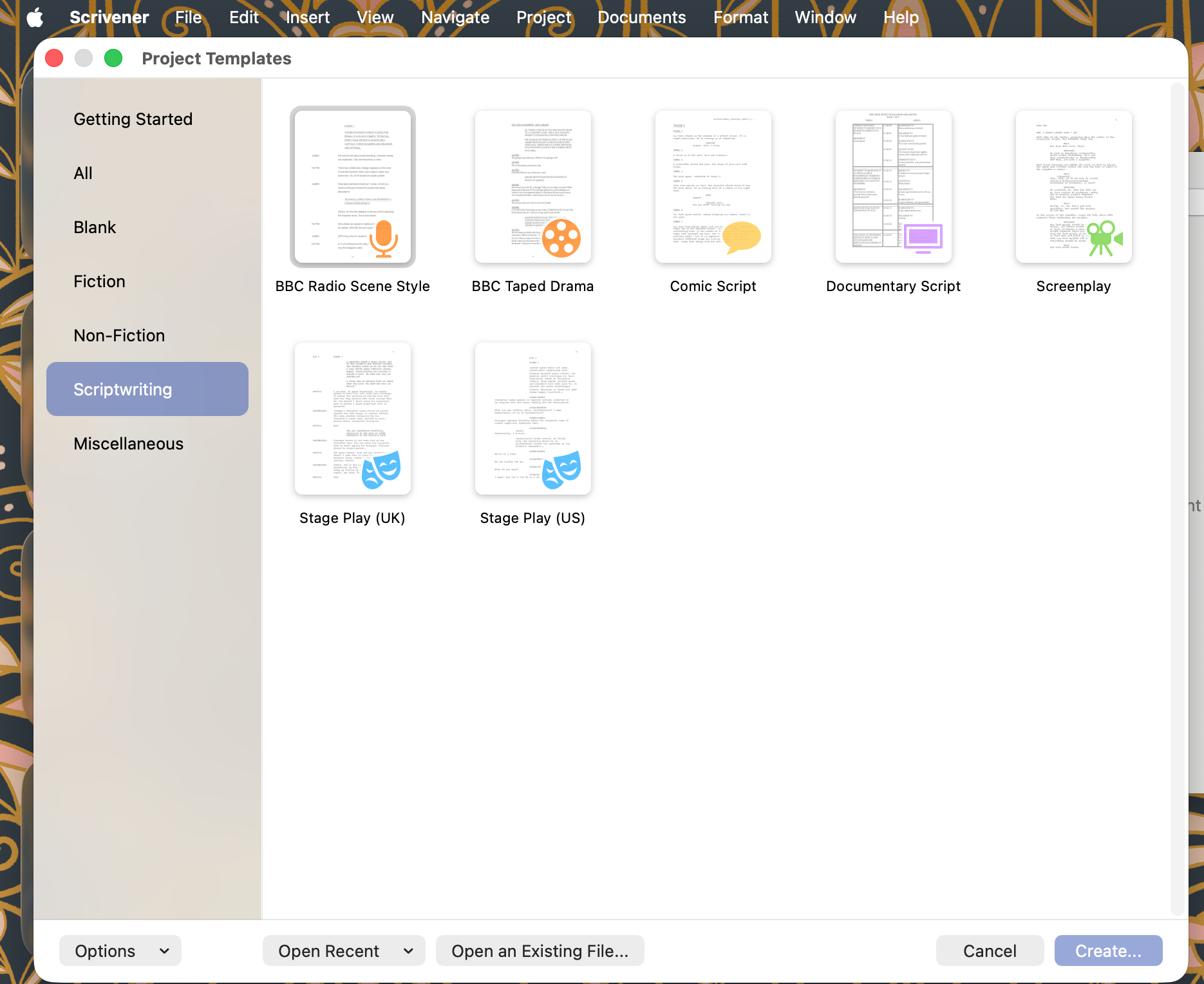
And crucially, Scrivener is one of the only major writing apps that offers a clean, modern, UK-centric stageplay format straight out of the box. No wrestling with centred character names. No Americanised layout. No fiddly workarounds. Just a script that looks like a British play.
Is there a mobile app?
Yes. There’s an iOS app, but nothing for Android users, unfortunately.
The iOS app syncs to a connected Dropbox account, which isn’t as smooth a service as those that offer native cloud-based storage, but it works pretty well.
You need to be a little clever with the mobile app for it to allow you to start a new play script, as it will always open a text-based template suitable for novel writing.
How to start a new play project in Scrivener Mobile
Scrivener doesn’t offer its own cloud-based storage. You have to link it to a Dropbox account, but it works pretty well.
So, start a new blank playwriting project on the desktop app using your favoured template, then save the blank projects to Dropbox. Then, go to Scrivener Mobile, and your blank project will appear in the Projects section of the app.
Press Edit, then hit the little Duplicate icon at the bottom of the screen, and give that new version a new title, and use that.
It’s a bit awkward, but it works.
Why playwrights love it
Scrivener understands that plays aren’t written in straight lines. Its Binder and Corkboard views let you break your script into scenes, beats, or even tiny fragments of dialogue, then rearrange them with the ease of moving index cards around a rehearsal room floor.
For playwrights who build structure organically — or who rewrite heavily — this is a gift.
And the British stageplay template is genuinely excellent. It’s clean, readable, and industry-friendly, with left-aligned character names, sensible indentation, and a layout that beautifully supports sparse dialogue.
Scrivener is also the best app for storing research, notes, character work, images, drafts, and cut material all in one place. It becomes a writing studio rather than just a script editor.
How much does it cost?
Scrivener is a desktop app with a mobile version for iOS (not Android). It’s offered as a one-off purchase, usually around £50 for Mac or Windows, with a discounted upgrade path when major new versions are released.
However (and this is why I recommend it to so many of my students), there’s an incredibly generous free trial offer that provides 28 days of use before you have to buy the full licence. But the trial doesn’t last for 28 calendar days—it’s 28 days of use, meaning that you’ll probably have written your entire play before having to pay. This is perfect for writers on a budget, and the licence is affordable.
Ultimately, there’s no subscription, no ecosystem lock-in, and the licence lasts for years, making Scrivener one of the the best playwriting apps for theatre.
Given the functionality it offers, it provides exceptional value.
Is it compatible with other screenwriting apps?
Yes — Scrivener can export to Final Draft (.fdx), which means you can draft and structure your play in Scrivener, then export a clean file for directors, dramaturgs, or theatres that prefer Final Draft compatibility.
It also exports beautifully to PDF, Word, and plain text.
Strengths
- One of the best UK stageplay templates available
- Exceptional for structure, planning, and rewriting
- Perfect for fragment-based or beat-driven writing
- Stores research, notes, and drafts in one place
- Exports cleanly to Final Draft
- Very generous free trial period
- One-off purchase with no subscription
Weaknesses
- Slight learning curve
- Not ideal for real-time collaboration
- Formatting options can feel overwhelming at first
Best for
Playwrights who want a flexible, powerful writing environment that supports the actual process of making a play — from messy first drafts to polished, submission-ready scripts.
Breakdown of the best playwriting apps for theatre
So, there you have it: my rundown of my favourite playwriting apps. All of the apps included are excellent for screenwriting, so if you’re looking for an app to help you format a script, I’d consider any of the products I’ve reviewed.
But for theatre, there are some clear winners:
| App | Overall Score | UK Stageplay Format | Best For | Cost | Key Strength | Key Weakness |
| Scrivener | 10/10 | Excellent (native UK template) | Playwrights who write in fragments, beats, and evolving structures | One‑off purchase (~£50) | Exceptional structure tools and flexibility | Learning curve; limited real‑time collaboration |
| Fade In | 9.3/10 | Excellent (but requires simple installation) | Writers working across stage and screen | One‑off purchase (~£60) | Clean, modern, distraction‑free | No native UK format; manual setup needed |
| Final Draft | 9/10 | Customisable (see template tutorial) | Writers needing industry‑standard revision tools | One‑off purchase (~£180) | Best revision mode for workshops and rewrites | Default format is American; interface can feel heavy |
| Celtx | 8/10 | Good (native UK template) | Beginners and playwrights wanting simple, clean formatting | Subscription only | Easy to use; cloud‑based | Less customisable; some features locked behind higher tiers |
| Highland Pro | 7/10 | American‑only | Writers wanting a minimalist drafting environment | Subscription only (£9.99/month or £59.99/year) | Beautiful, uncluttered interface | Not suitable for UK theatre formatting; Mac‑only |
The best writing apps for theatre
I hope you’ve found my review of these writing apps useful. Remember, these reviews are solely from the perspective of playwriting; they’re all great for screenwriting.
I’d definitely recommend downloading each of the apps and trying them out for yourself, making use of the free trials that most of them offer.
And if you’re ready to get writing, consider one of our growing list of online playwriting courses, designed to optimise your skills and keep the reader reading. Or join one of our One-Day Workshops that get you writing straight away.
Consider buying me a coffee?
If you found this article useful, consider buying me a coffee to help fund future posts and courses with WriteForTheStage.
Thanks for reading
Leave a Reply